If you are a content creator and want to create a new playlist on YouTube, this information can be very useful for you. In this article, we explain in detail how to create a YouTube playlist on both mobile and PC so that you can easily organize your videos.
With the help of a playlist, you can keep your videos in an organized folder. Whenever a user visits your channel, they can open their preferred playlist and easily watch all the videos available in it. A properly created playlist is highly beneficial for both creators and viewers.
how to create a playlist on YouTube
There are several ways to create a playlist on YouTube. By following these methods, you can create different playlists for your channel. If you are using a PC or laptop, you need to follow the steps given below to create a playlist.
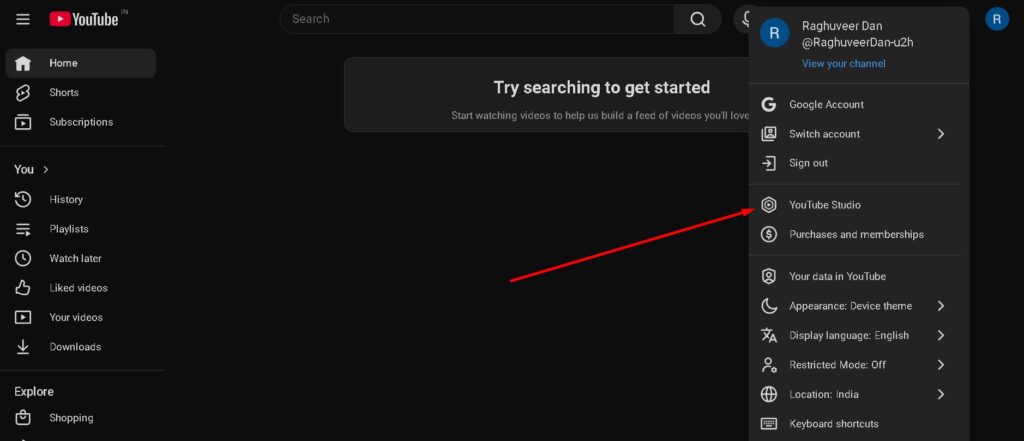
Step 1. First, open the Google Chrome browser on your laptop or PC. After that, visit the https://www.youtube.com website. The YouTube homepage will appear, and at the top you will see your channel logo. Click on that logo.
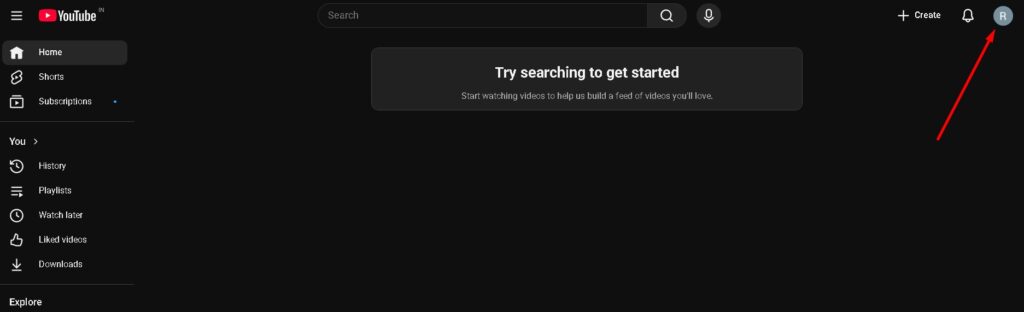
Step 2. When you click on the logo, a menu will open. In this menu, click on the YouTube Studio option.
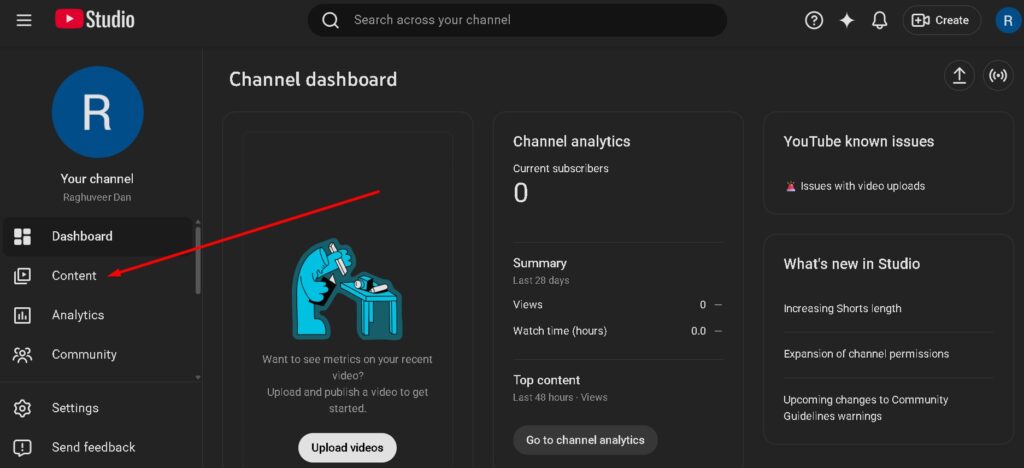
Step 3. After entering YouTube Studio, you will see the Content option. Click on it.
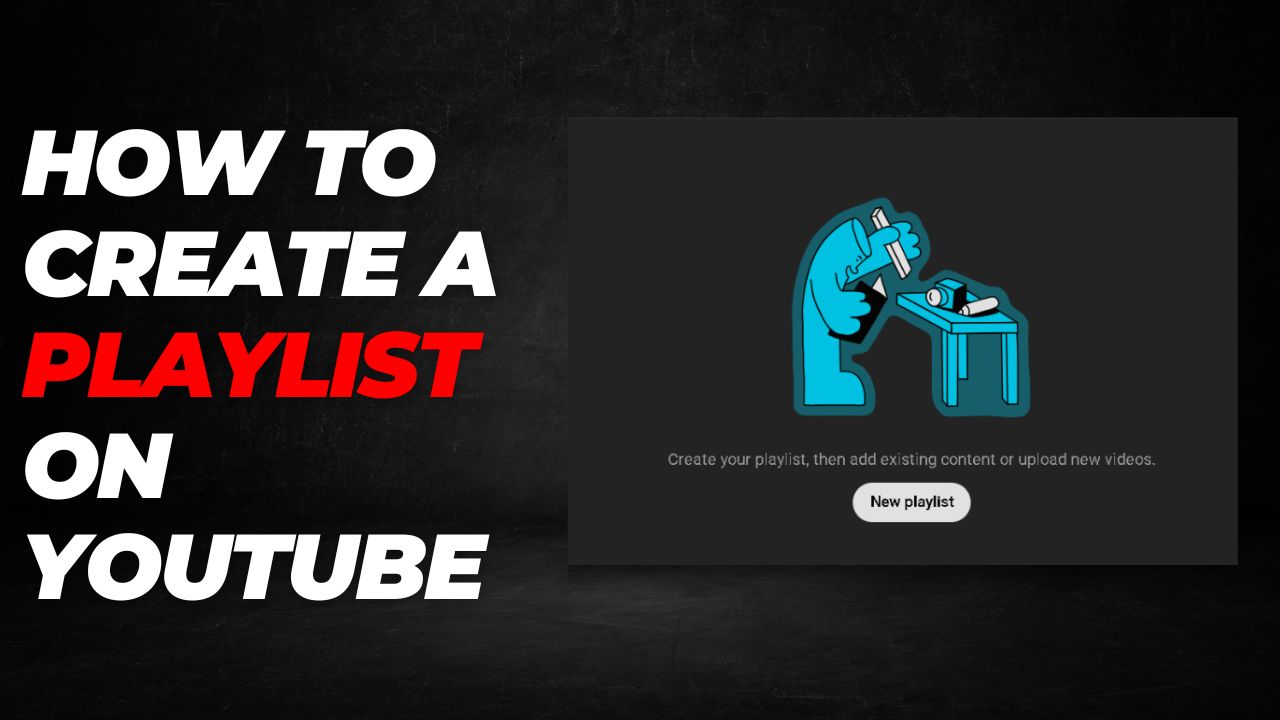
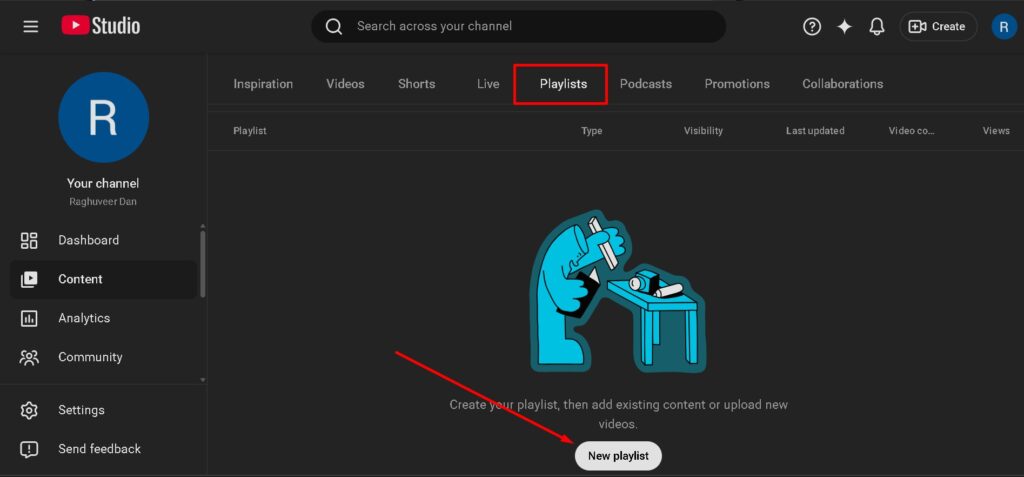
Step 4. Once you click on Content, you will see the Playlist option. Click on it and then click on the New Playlist option.
Step 5. After clicking on New Playlist, a popup window will open to create the playlist. Here you need to enter the required information related to your playlist.
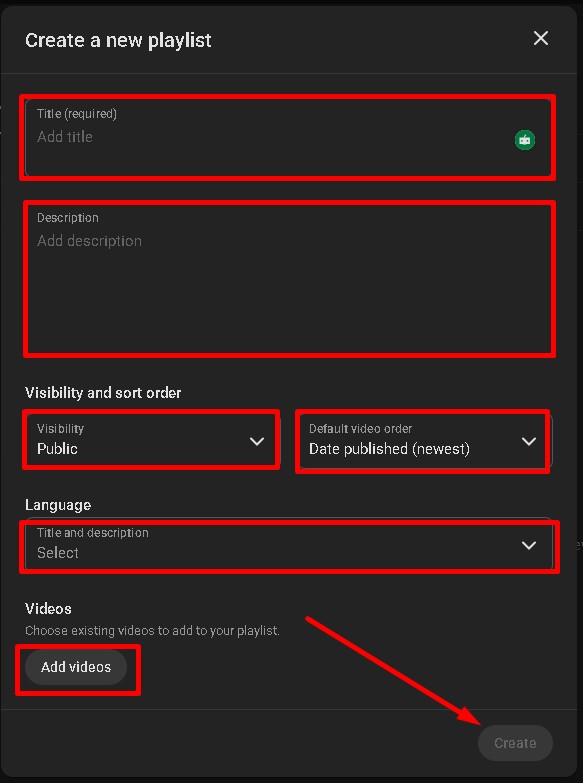
- Title – Type the title of your playlist here.
- Description – Write a description related to your playlist.
- Visibility – Set this to Public so that users can see your playlist.
- Default Video Order – Leave this as the default setting.
- Language – Choose the language for your playlist.
- Videos – Click on Add videos to include the videos you want in your playlist.
After completing this process, you will see the Create option at the bottom. Click on it. Once you complete this step, your playlist will be successfully created.
How to Create a Playlist from Mobile
If you are a mobile user, you can also create a playlist using your smartphone. Follow the steps below to create a playlist from your mobile device.
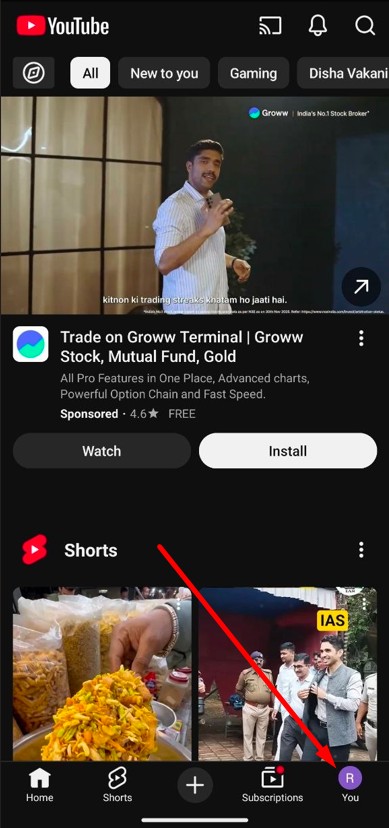
Step 1. – First, open the official YouTube application on your phone. At the bottom, you will see your channel logo. Click on it.
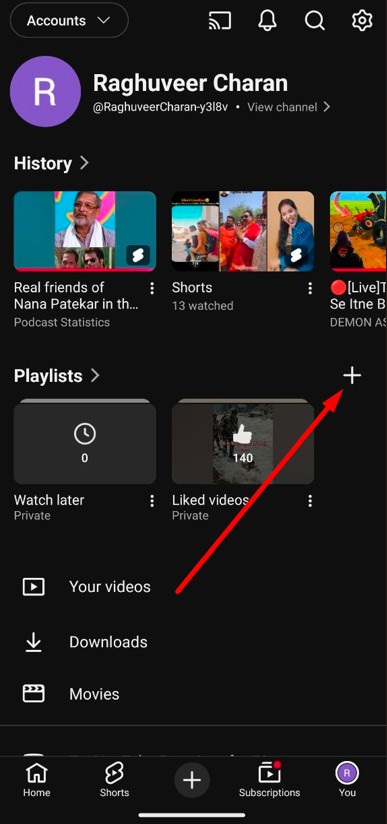
Step 2. – After this, you will see information related to your channel. Just below History, you will see the Playlists option. Click on the + icon.
Step 3. – A New Playlist popup will appear. Type the playlist name and select Public in the Visibility option. Then click on Create.
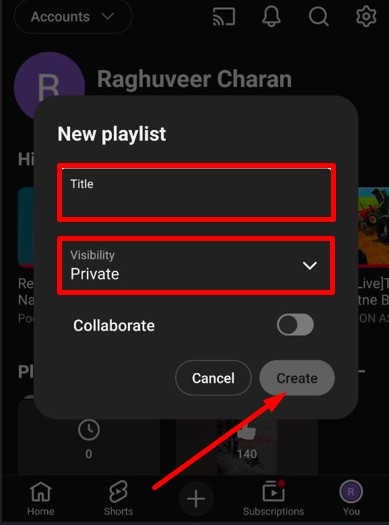
After completing this process, a new playlist will be successfully created on your channel. This is how you can create a playlist using your mobile device.
What is Playlist Visibility
When you create a new playlist, you will see an option related to Visibility. It is important to understand this setting so that you can choose the right option according to your needs. The available options are as follows.
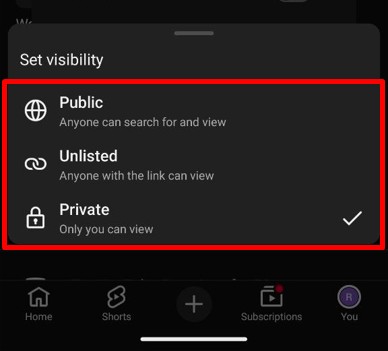
- Public – When you select this option, all users can see your playlist.
- Unlisted – When you select this option, only users who have the playlist link will be able to see it.
- Private – This option is used for privacy. Only you can see the playlist and other users cannot view it.
If you are a content creator, you should select Public so that all users can see your playlist. If you want to keep a playlist secret and do not want anyone else to see it, you can set your playlist to Private.
Frequently Asked Questions
What is a YouTube playlist?
A YouTube playlist is a collection of videos organized in a single folder so viewers can easily watch related videos one after another.
Can I create a playlist on YouTube using a mobile phone?
Yes, you can create a playlist directly from the YouTube mobile application by using the playlist option in your channel section.
Which visibility option should creators select for playlists?
Creators usually select the Public option so that all users visiting the channel can view and watch the playlist.
What happens if a playlist is set to Private?
If a playlist is set to Private, only the channel owner can see it and other users cannot access it.
What is the Unlisted playlist option?
An Unlisted playlist can only be viewed by people who have the playlist link, and it does not appear publicly on the channel.