If you are a YouTube content creator and you want to grow your channel rapidly, then this article is going to prove very useful for you. This is because in this article, we are going to provide you with detailed information on how to grow your channel with the help of YouTube Dashboard, so that you can grow your channel quickly without any loss.
How to Grow Channel with YouTube Dashboard?
YouTube Dashboard contains very important data related to your channel and users, with the help of which you can grow your channel rapidly. For this, you should know how to use YouTube Studio in the right way. To grow your channel quickly, you can follow the method given below:
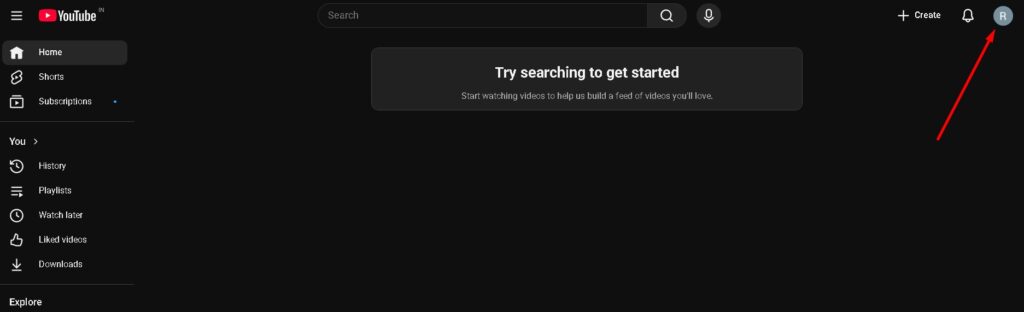
Step 1. First of all, you have to go to YouTube.com. After this, you will see the homepage of YouTube; in this, you have to click on your channel’s Logo.
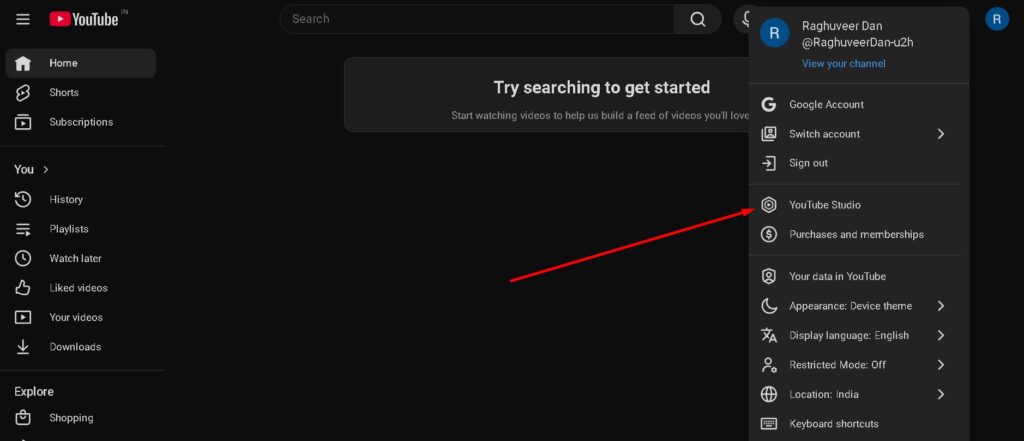
Step 2. When you click on your channel’s Logo, a popup will open in front of you. In this, you have to click on YouTube Studio.
Step 3. Now the YT Studio page will open in front of you. In this, you have to click on analytics.
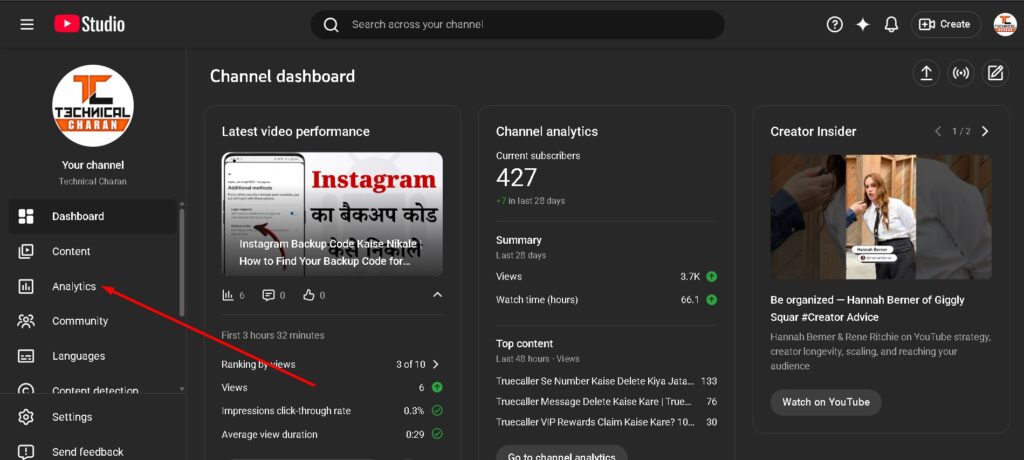
As soon as you click on analytics, you will see all the important data related to your channel here. With its help, you can grow your channel rapidly. For this, you have to focus on the following data:
Channel analytics Overview
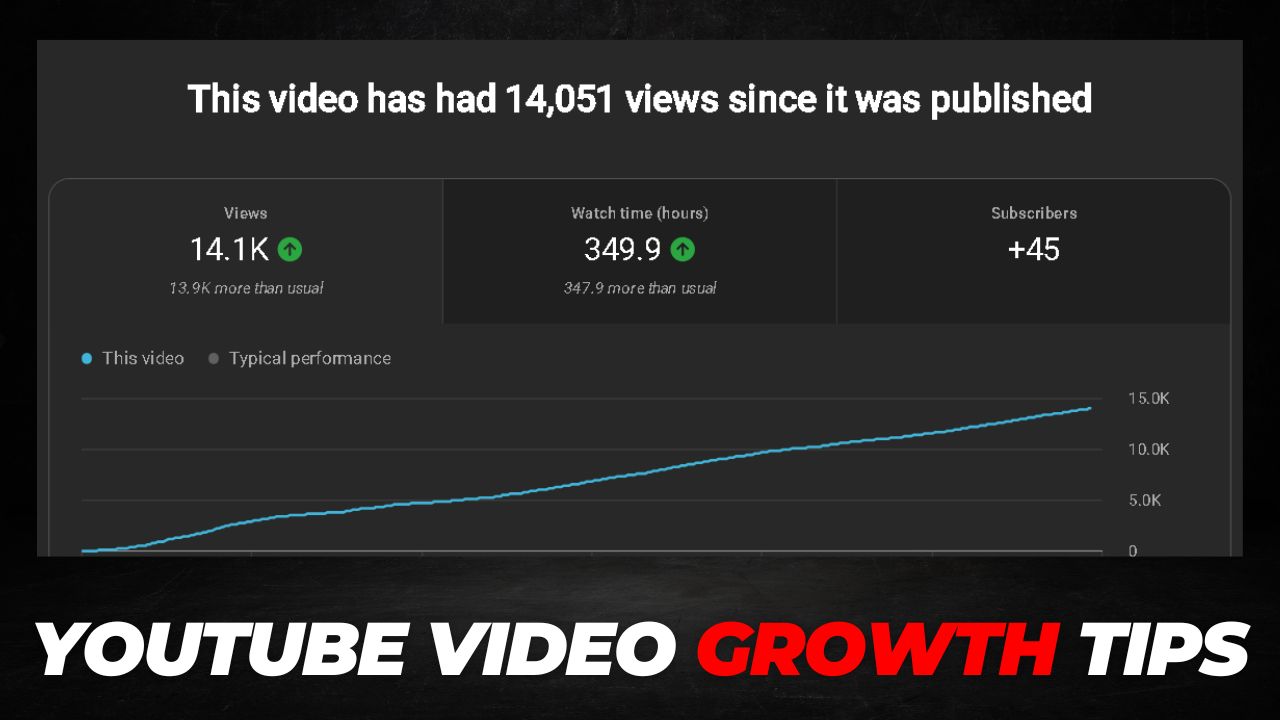
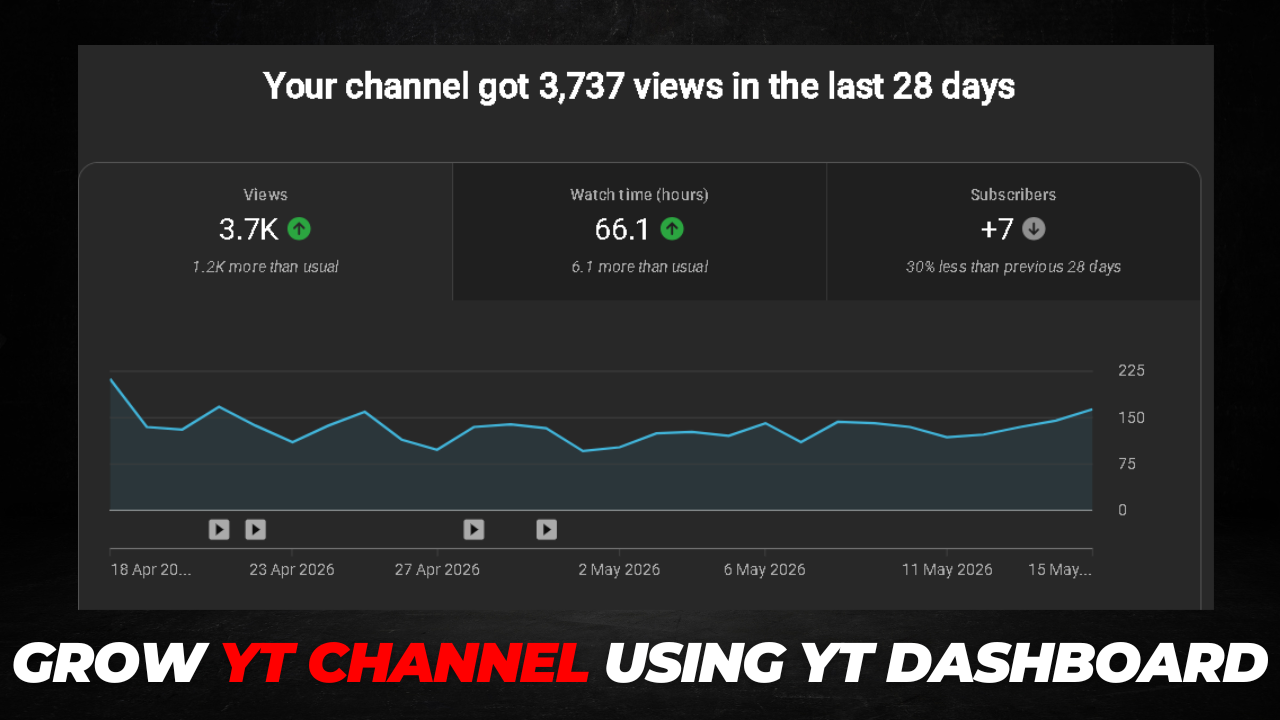
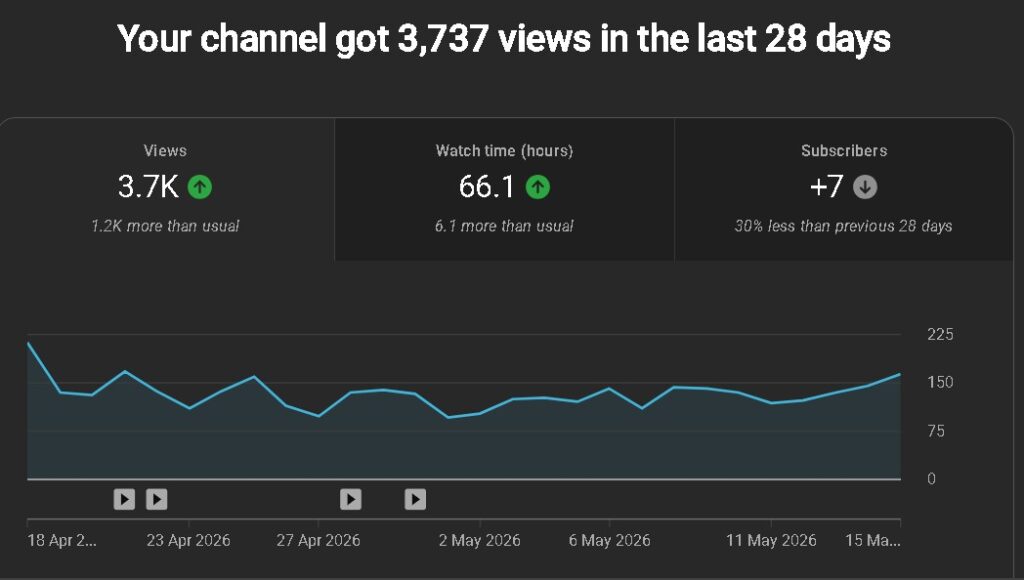
When you go to analytics, you will first see the Overview page. In this, you will see the graph of the last 30 days. If the traffic in this is falling or stable, then you need to improve your content, and if the traffic is increasing, then you are on the right track; you have to keep working hard in the same way.
Top videos
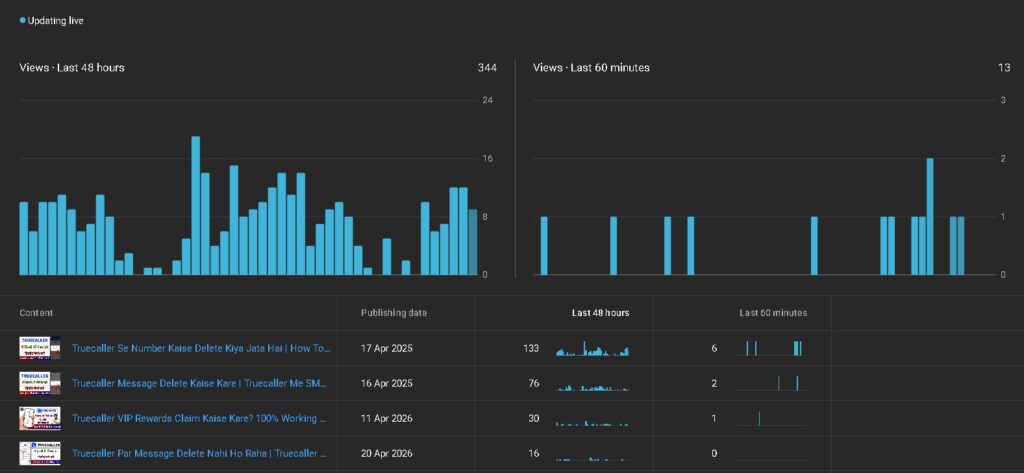
When you check the data of the last 30 days, after that you have to check the top content. Out of these, the videos which are getting the most views, you should make and publish videos on those same topics. Due to this, your channel will start growing rapidly and your views will start increasing fast.
How viewers find your videos
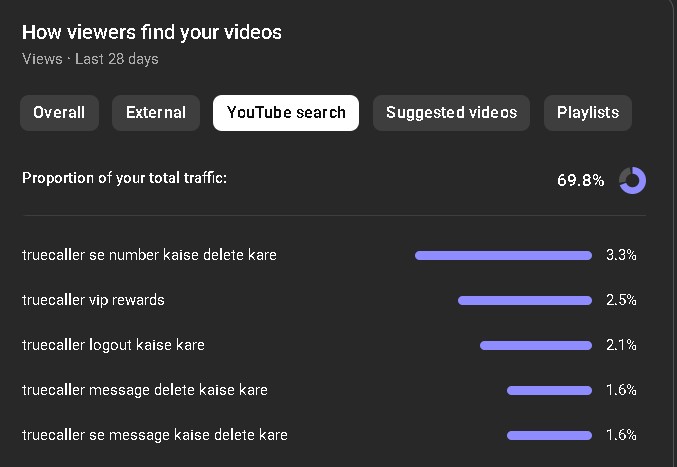
After checking the top videos, first you have to click on the Content tab, and after that, you will see the section ‘How viewers find your videos’. In this, you have to click on YouTube search. After this, you will see a list of all those keywords from which you are getting the most traffic. Now you have to target those keywords and make new videos. This will increase your views rapidly.
Content analytics
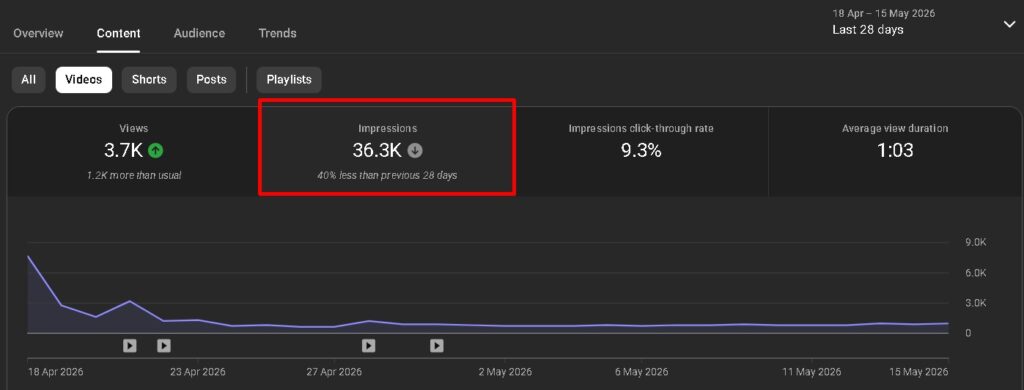
Now you will see the option of Content at the very top, you have to click on it. After this, first of all, you have to click on Impressions. If the graph of Impressions is increasing, then it means that you are working in the right way, and if the graph is coming down, then you need to work harder on your channel.
Impressions click-through rate
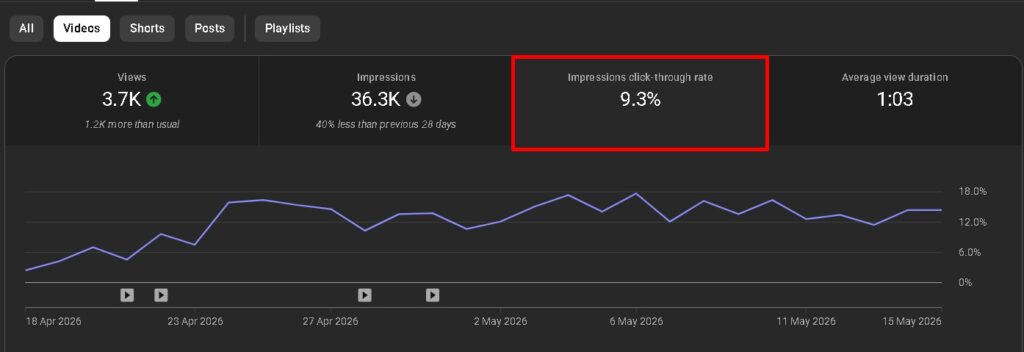
When you see the Impressions, after that it is important for you to check the CTR. If the average CTR of your channel is between 3 to 7, then it is fine, but if it is less than this, then you will have to update the thumbnails of all those videos in which your CTR is less than 3. This will increase your channel’s CTR and views on your channel will also increase rapidly.
Average view duration
Right after CTR, you will see the option of Average view duration. By clicking on it, you can find out how long users watch videos on your channel on average. This can be different according to the length of the video, which is as follows:
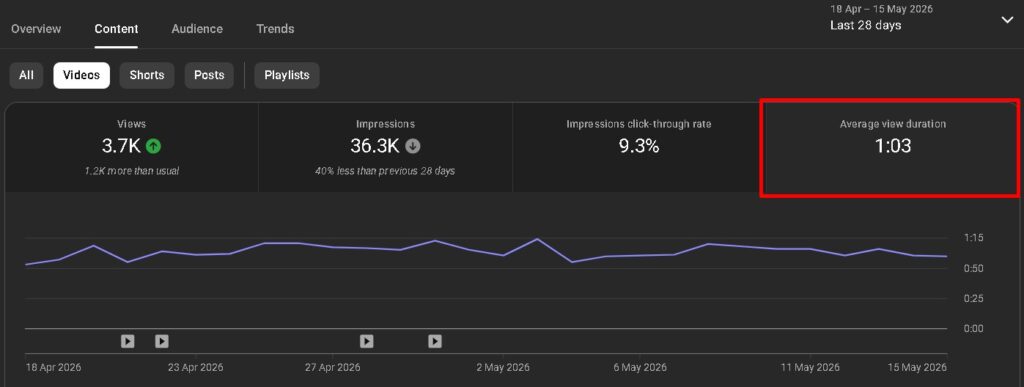
- Short videos – If the video is 5 minutes or less and the AVD is approximately less than 3 minutes, then you should improve your content a bit and try to make the AVD reach up to 3 minutes.
- Medium videos – If your video is around 15 minutes, then it will be considered better for your channel’s AVD to be between 7 to 9 minutes.
- Long videos – If you upload videos longer than 15 minutes on the channel, then your AVD will depend on the length of your content. However, it will be considered better for the approximate AVD of a long video to be between 15 to 25 minutes.
Trends
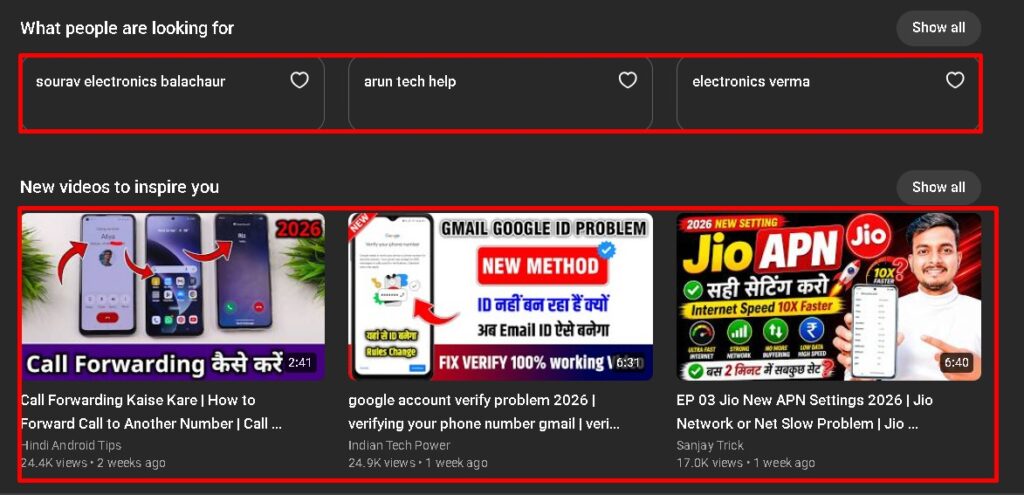
Now you will see the option of Trends at the very end, you have to click on it. Here you will see trending topics and videos related to your channel which are currently trending. You should target the keywords that appear in this and make a new video; this will increase the chances of your video ranking and views will start increasing rapidly on your channel.
Q1. How can I grow my channel rapidly using the YouTube Dashboard?
Ans. YouTube Dashboard provides your channel’s Analytics data. By checking Top Videos and How viewers find your videos (YouTube Search Keywords), and then making new videos on those exact topics and keywords, you can grow your channel rapidly.
Q2. What should I do if the video Impressions Graph is falling in YouTube Analytics?
Ans. If the Impressions graph is coming down, it means YouTube is sending your videos to fewer people. To fix this, you need to work harder on your channel and improve your video topics, search keywords (SEO), and content quality.
Q3. What is considered a good CTR (Click-Through Rate) for YouTube videos?
Ans. An average CTR between 3% to 7% is considered good for a YouTube channel. If a video’s CTR is less than 3%, you must update its thumbnail and title to get more people to click on it.
Q4. What is Average View Duration (AVD) and how can I increase it?
Ans. Average View Duration shows how long users watch your videos on average. To increase it, you should improve your content according to the video length (aiming for at least 3 minutes for short videos) so that viewers stay engaged for a longer time.
Q5. What is the benefit of the ‘Trends’ option in YouTube Dashboard?
Ans. The Trends option shows you the trending topics and videos related to your channel that are currently in high demand. Targeting the keywords shown in this section and making new videos increases the chances of your video ranking and getting viral views.
Q6. Does properly using YouTube Studio really help increase views?
Ans. Yes, absolutely. YouTube Studio provides crucial data about your channel and users. When you understand this data properly and create your content according to what your audience likes, your views and channel growth will automatically increase rapidly.