If you have a YouTube channel and want to convert it into a Brand Account, this article will be very useful for you. In this guide, we will show you the easiest and safest way to switch your YouTube channel to a Brand Account.
How to Convert a YouTube Channel to a Brand Account
The process is quite simple. You can easily switch your account through the YouTube settings in just a few minutes by following these steps:
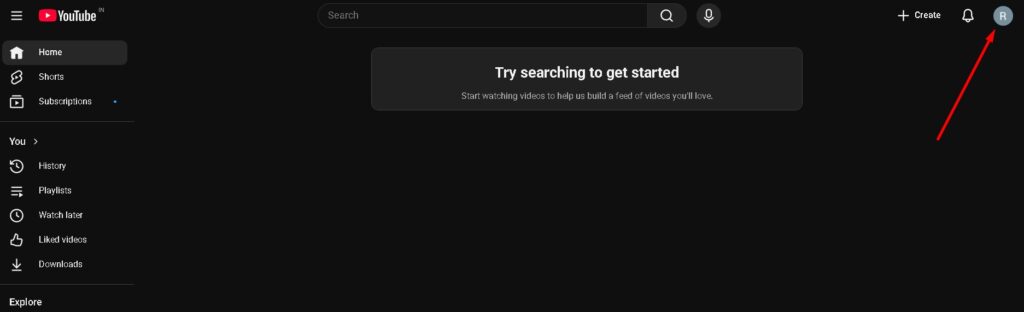
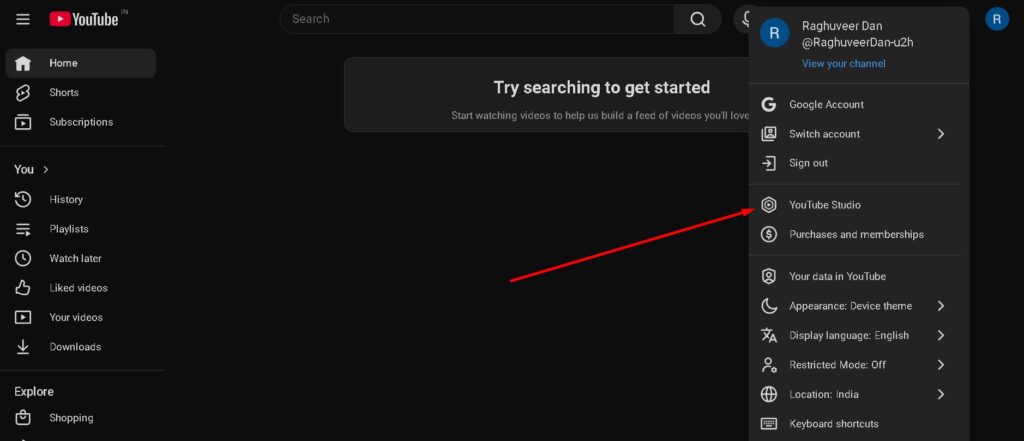
Step 1. Visit the official YouTube website. Click on your Account Logo located at the top right corner.
Step 2. From the options that appear, click on YouTube Studio.
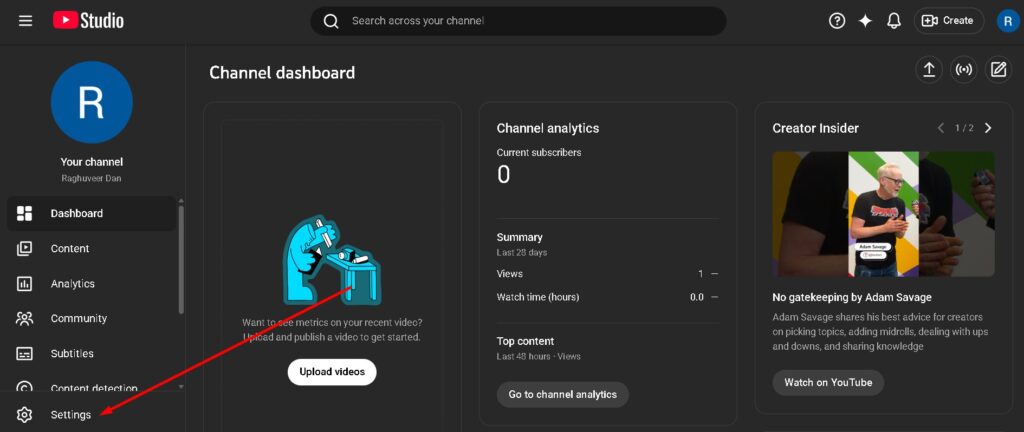
Step 3. Once your YouTube Studio dashboard opens, click on the Settings icon located at the bottom.
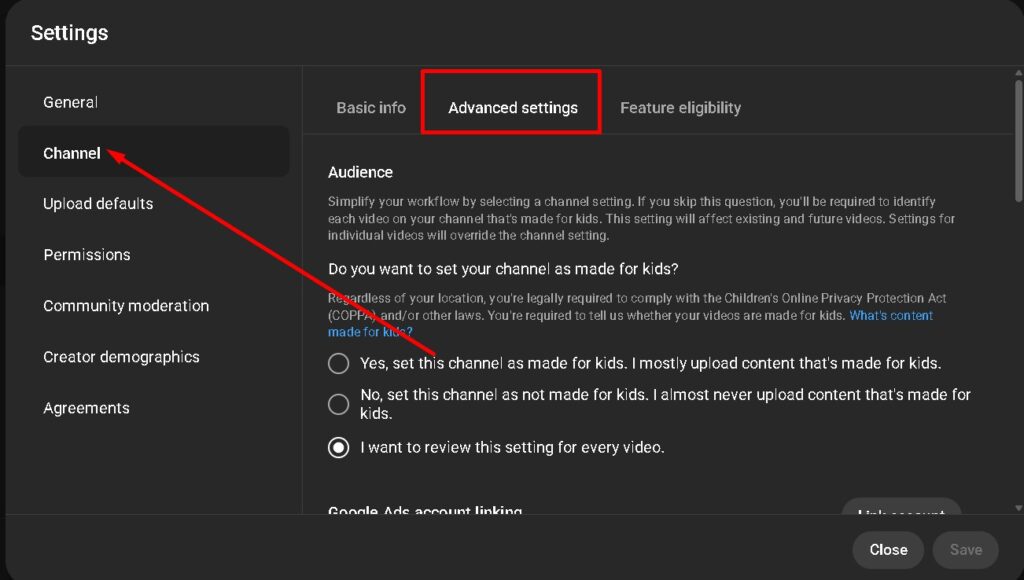
Step 4. A popup window will appear. Click on Channel and then select the Advanced Settings tab.
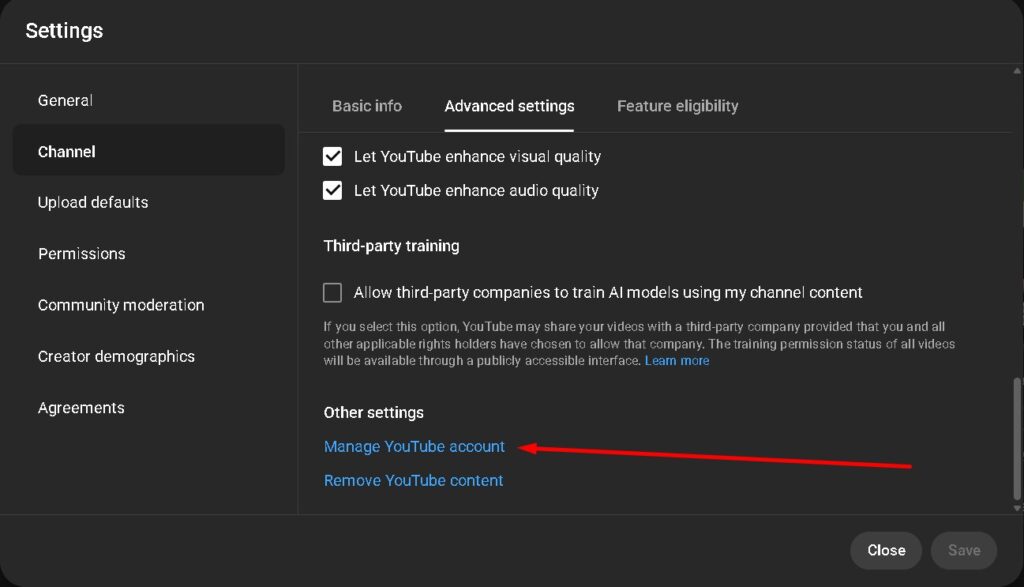
Step 5. Scroll down in the Advanced Settings section and click on the Manage YouTube Account option.
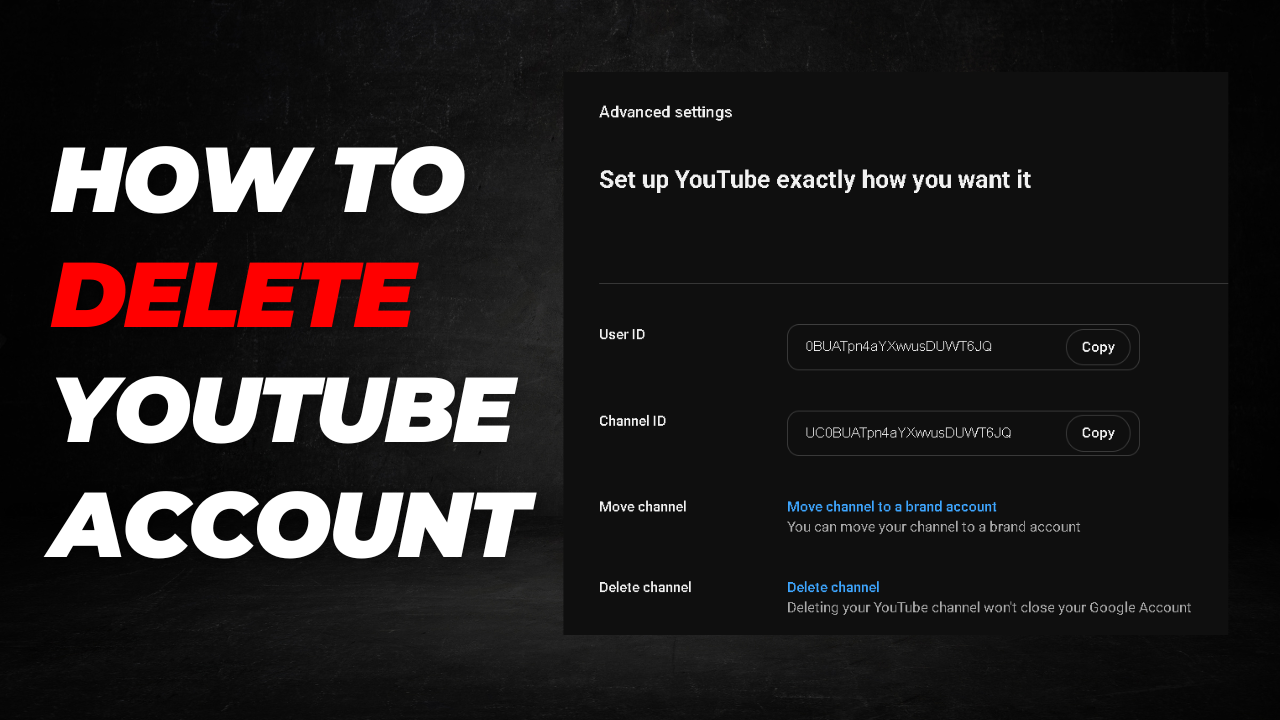
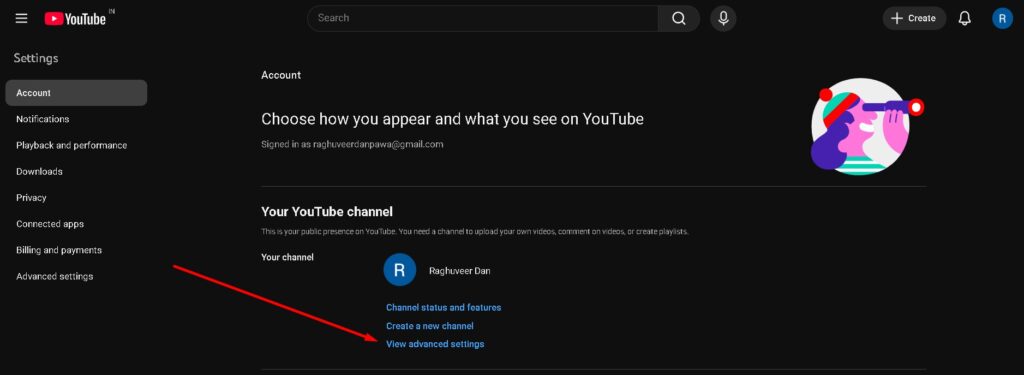
Step 6. A new page will open. Here, click on View advanced settings.
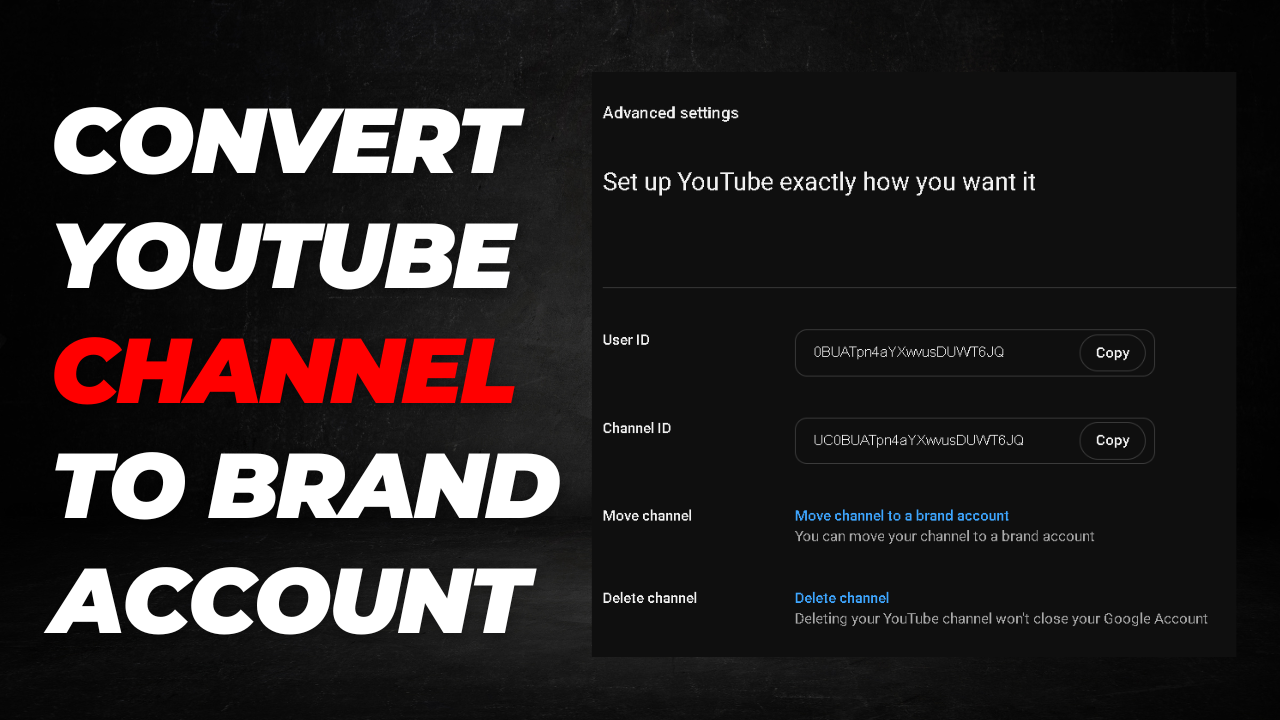
Step 7. In the Advanced Settings section, you will see Move channel to a brand account right next to the “Move channel” option. Click on it.
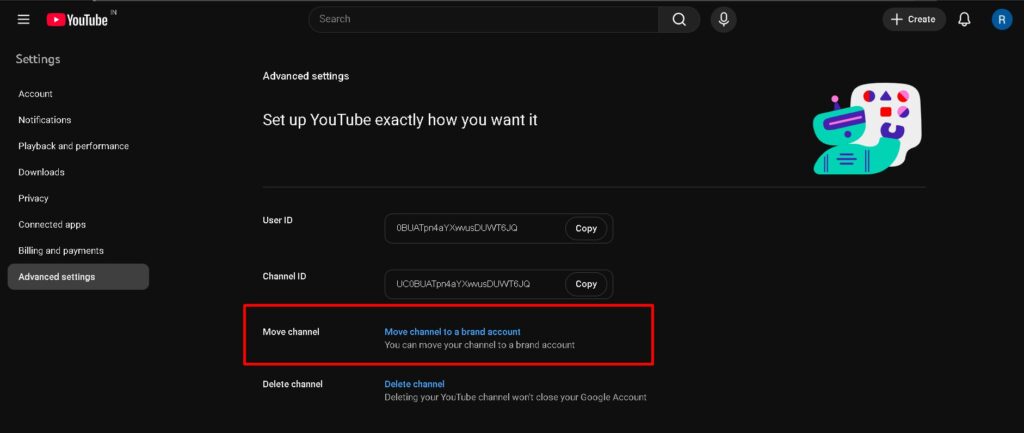
Once you complete these steps, you will be asked to enter your Gmail password. After logging in, your account will be successfully converted into a Brand Account.
Benefits of Creating a Brand Account
Converting your channel into a Brand Account offers several key advantages that are important for every creator:
- Team Management: You can assign managers and editors to help manage your channel without needing to share your personal password.
- Custom Branding: You can set any name for your channel without affecting the name on your personal Gmail or Google profile.
- Multiple Channels: You can create and manage multiple YouTube channels under a single Gmail ID, so you don’t need to create separate emails.
- Enhanced Privacy: Users won’t be able to see your personal email or real name, which significantly improves your privacy.
- Easy Ownership Transfer: If you ever want to sell your channel or transfer its ownership, you can easily move it to another Gmail account.
Switching to a Brand Account provides various professional benefits and advanced features from YouTube that help in managing your channel more effectively.
Frequently Asked Questions (FAQs)
1. Will I lose my videos or subscribers after converting to a Brand Account?
No, when you follow the “Move channel” process correctly, all your public videos, subscribers, and playlists are safely transferred. However, please note that custom URLs and comments made by you may not transfer automatically.
2. Can I manage multiple Brand Accounts with a single Gmail ID?
Yes, one of the biggest advantages of a Brand Account is that you can create and manage multiple YouTube channels using just one Google account, without needing separate email addresses for each.
3. Is it free to convert a YouTube channel to a Brand Account?
Absolutely. YouTube does not charge any fees for switching to a Brand Account. All professional management features and monetization options remain free to use.
4. How is a Brand Account different from a Personal Account?
A Personal Account is tied directly to your Google Identity. A Brand Account allows you to have a different name than your Google Account and lets you add multiple “Owners” or “Managers” to help run the channel safely.
5. Will my YouTube comments and community posts stay the same?
While your videos and subscribers move, your own comments on other videos and certain community interactions might stay linked to your personal profile. It’s always best to check your community tab after the move.
6. How do I verify if my channel has already been converted?
Go to YouTube Studio > Settings > Permissions. If you see an option that says “Manage Permissions” which takes you to a Google Brand page, your channel is already a Brand Account.
7. Can I change my Brand Account back to a Personal Account later?
Yes, you can move it back, but it is a complex process and may lead to data loss like your custom URL or verification badge. It is recommended to use a Brand Account for long-term growth and flexibility.